
An all-in-one music & short-video production station: AI-powered 4-stem separation, streaming-ready mastering with 13 presets, automatic hook detection, and beat-synced video creation (720p–4K) for TikTok, Reels, and Shorts. All processing is done locally on your machine.
✅ Now officially available on the Microsoft Store
AI Remaster Studio has been reviewed and officially released by Microsoft on the Microsoft Store (approved Nov 3, 2026) — safe, with automatic updates.

Download link: apps.microsoft.com/detail/9P41K9JJTX7Q (Product ID: 9P41K9JJTX7Q)
What is AI Remaster Studio?
AI Remaster Studio is a Windows desktop software for music makers, TikTokers, video editors, and content creators. The app integrates the entire workflow into one place: AI stem separation → streaming-standard mastering → finding the best hook → creating beat-synced short videos (beat-sync). All audio processing runs directly on your computer – audio files are never uploaded to a server.
Key Features
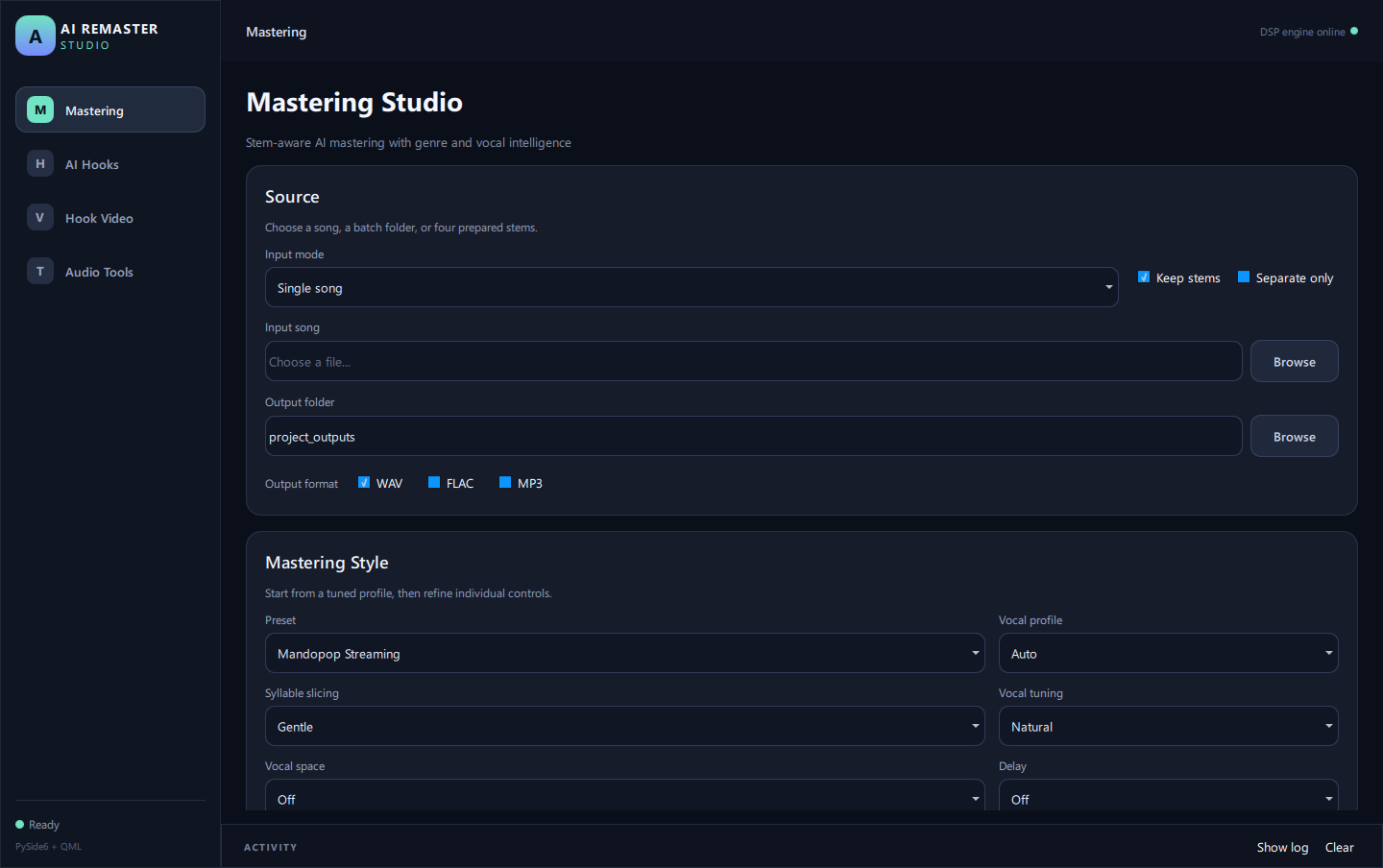
1. Mastering Studio – Stem Separation & Auto Mastering
- AI 4-stem separation (Demucs htdemucs): vocal, drums, bass, instruments – from a single track, a whole folder (batch), or pre-imported stems (Manual Stems).
- Studio-grade processing chain: AI Vocal Repair, De-Esser, Vocal Space (reverb), Smart Delay (Slapback, 1/4, Dotted 1/8, Ping-Pong), Vocal Saturation, drum transient enhancement, per-stem bass/stereo processing, Dynamic EQ, Tonal Balance Auto Match, Multiband Compressor, Reference Match, Harmonic Exciter, LUFS Target, and True Peak Limiter.
- Vocal Profile (Male / Female / Auto-detect / Instrumental), Syllable Slicing, Vocal Tuning (pitch adjustment up to 18 or 38 cents, preserving duration).
- Phase-safe Stereo Width: no expansion below 120 Hz, automatic width reduction when phase correlation is risky.
- 13 style presets: Soft (-14 LUFS), Balanced, Loud, Mandopop Streaming, EDM Club (-8 LUFS), Bass Impact + Smooth Vocal, Club Remix Deep Punch, Everyday Speakers, Instrumental Clean, Lofi Warm, EDM Festival, Funk Groove, Trap 808.
- Export to 24-bit WAV, FLAC, 320 kbps MP3.
2. AI Hook Finder – Find the Highlights
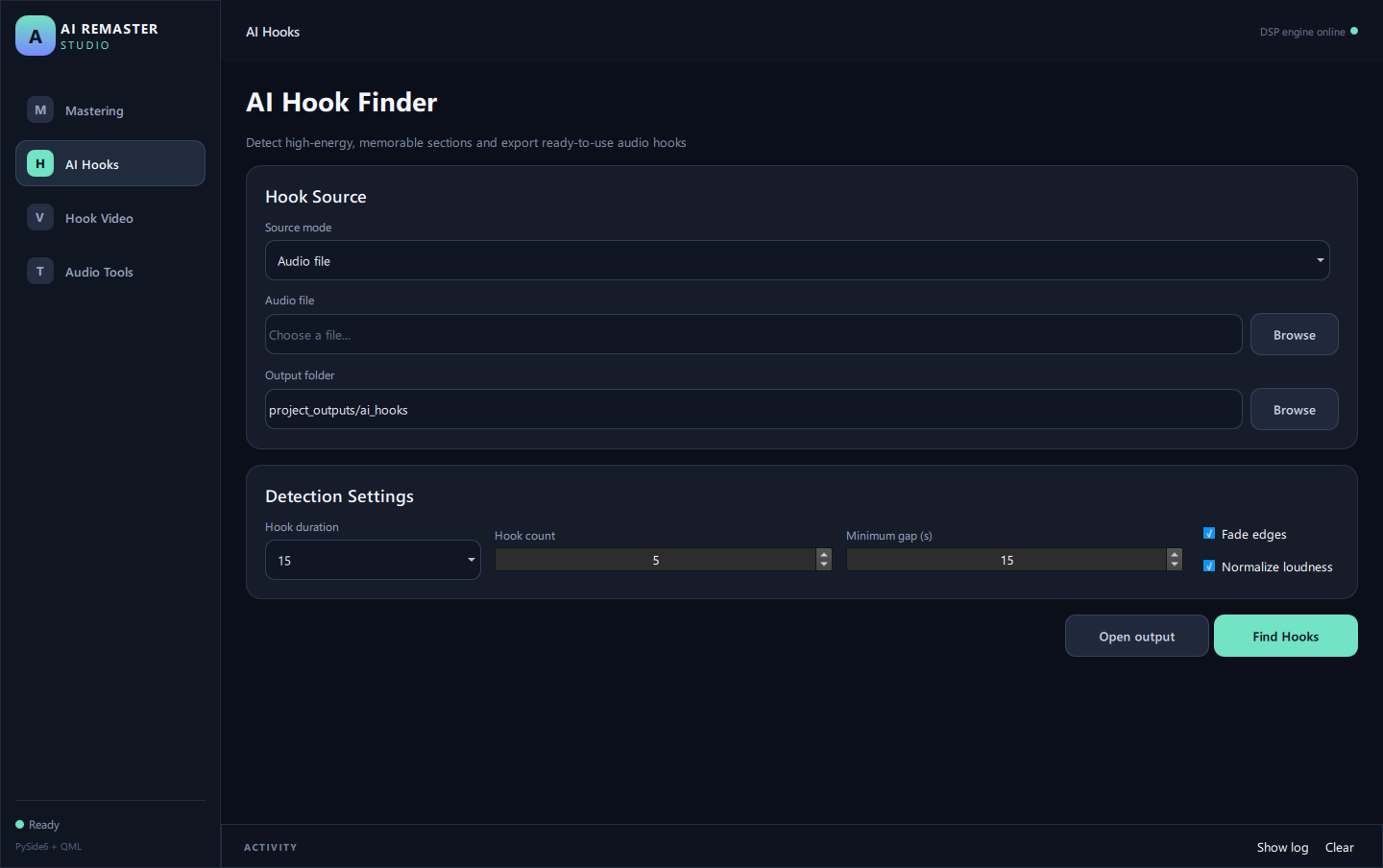
- Analyzes song energy to find the chorus or catchiest segment.
- Hook lengths of 15s, 30s, 45s, or Full Audio; extract 1–10 hooks per song, with adjustable minimum distance between hooks.
- Automatic fade-in/fade-out and volume normalization for every clip.
3. Hook Video Creator – Beat-sync Video for TikTok / Reels / Shorts
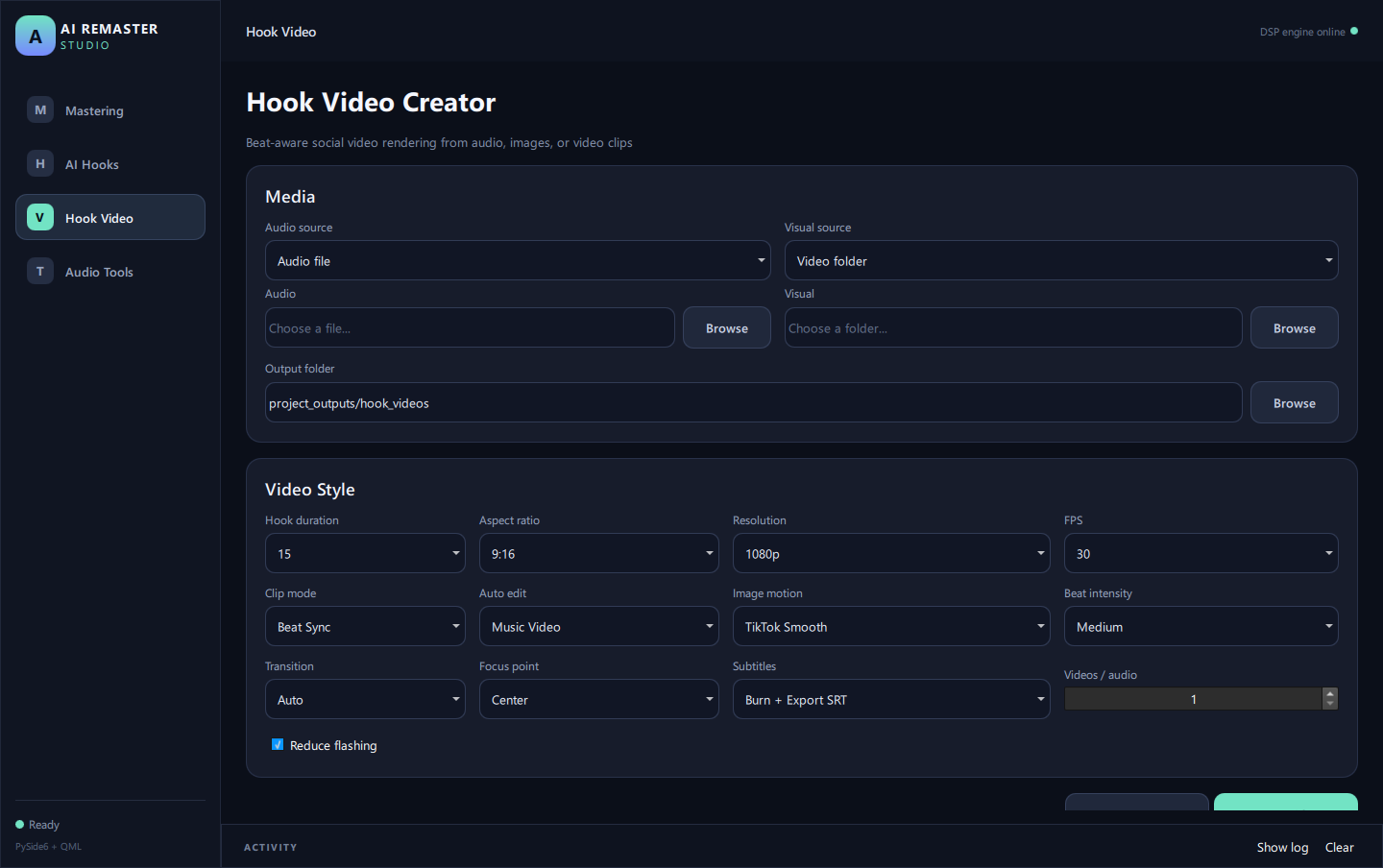
- Input: video folder, 1 image, or image folder + audio hook.
- Auto Beat Sync: analyzes BPM, downbeats, and transitions; cuts scenes to the beat. Presets: Clean, Cinematic, Music Video, Energetic, Glitch; adjustable Beat Intensity, Random Seed, and Reduce Flashing. Each video includes an
.auto-edit.jsonfile recording the edit plan. - Still image motion: Calm, TikTok Smooth, Cinematic, Dynamic; "pulse" effect following the beat; focus points: Center/Left/Right/Top/Bottom/Random Safe.
- Automatic subtitles: reads
.srtfiles with the same name as the audio, automatically cuts & shifts timing to match the hook; burns into video and/or exports a new SRT. - Aspect ratios: 9:16, 16:9, 1:1, 4:5; resolutions: 720p, 1080p, 2K, 4K; 24/30/60 FPS.
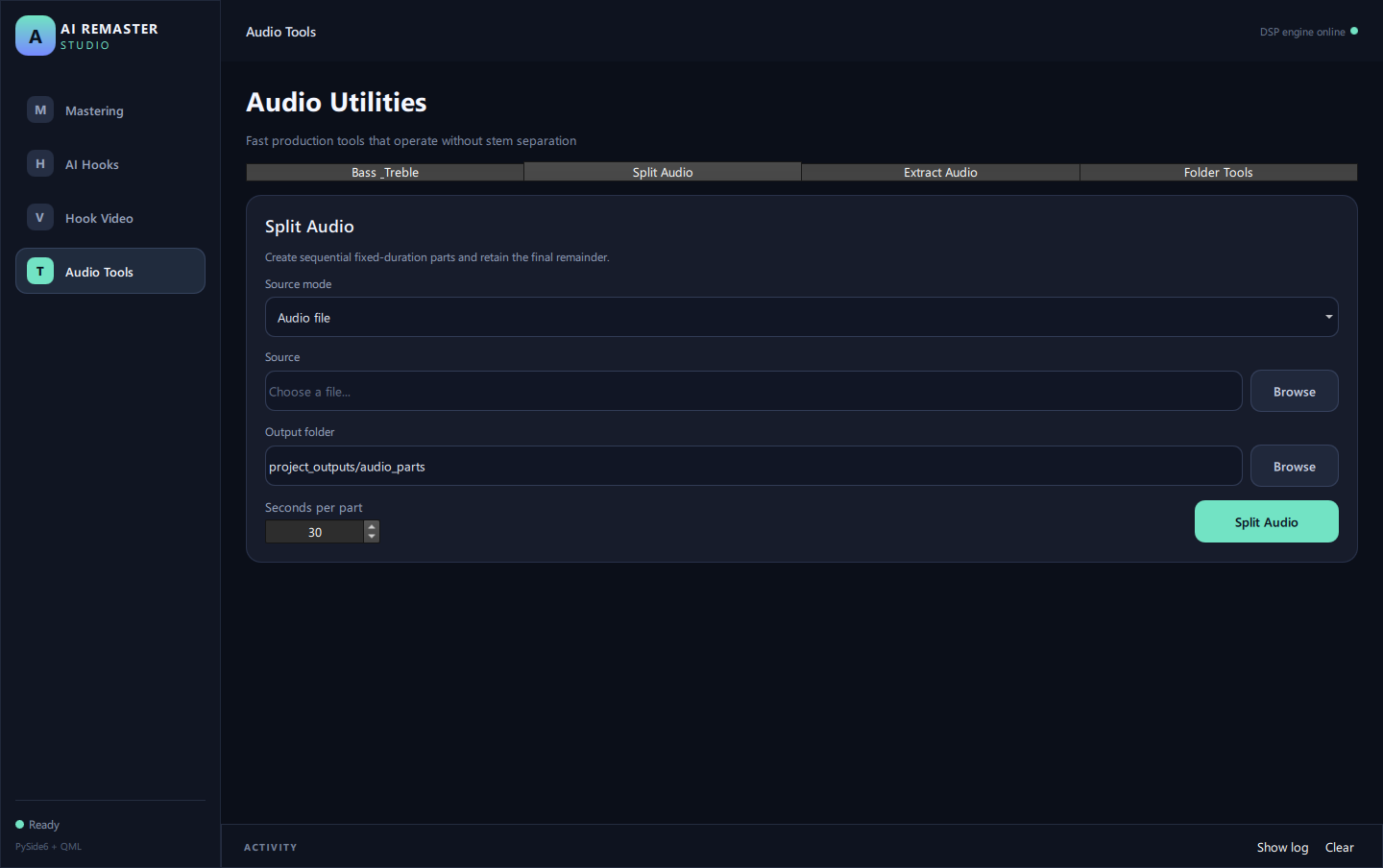
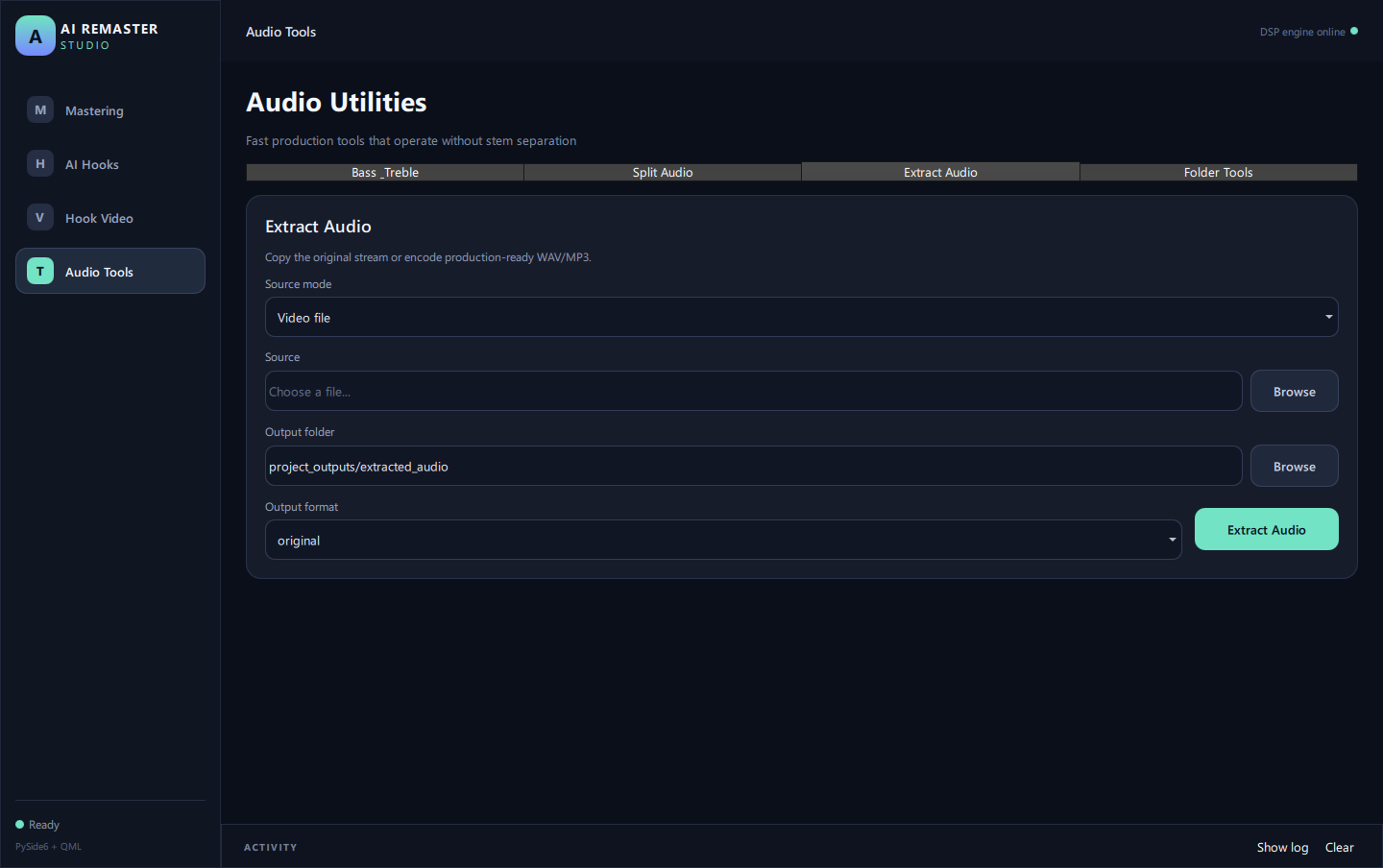
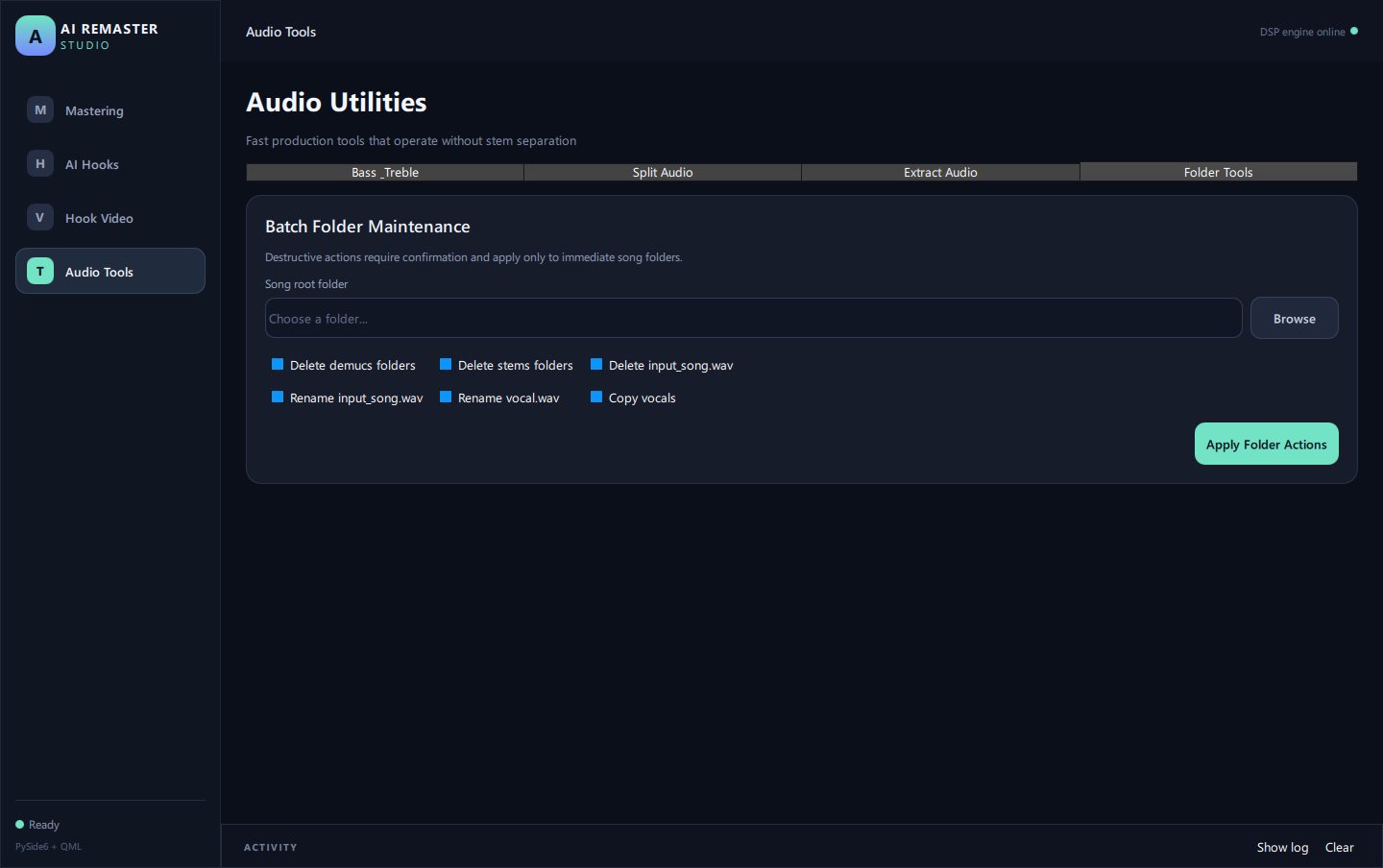
4. Audio Utilities – Quick Toolkit
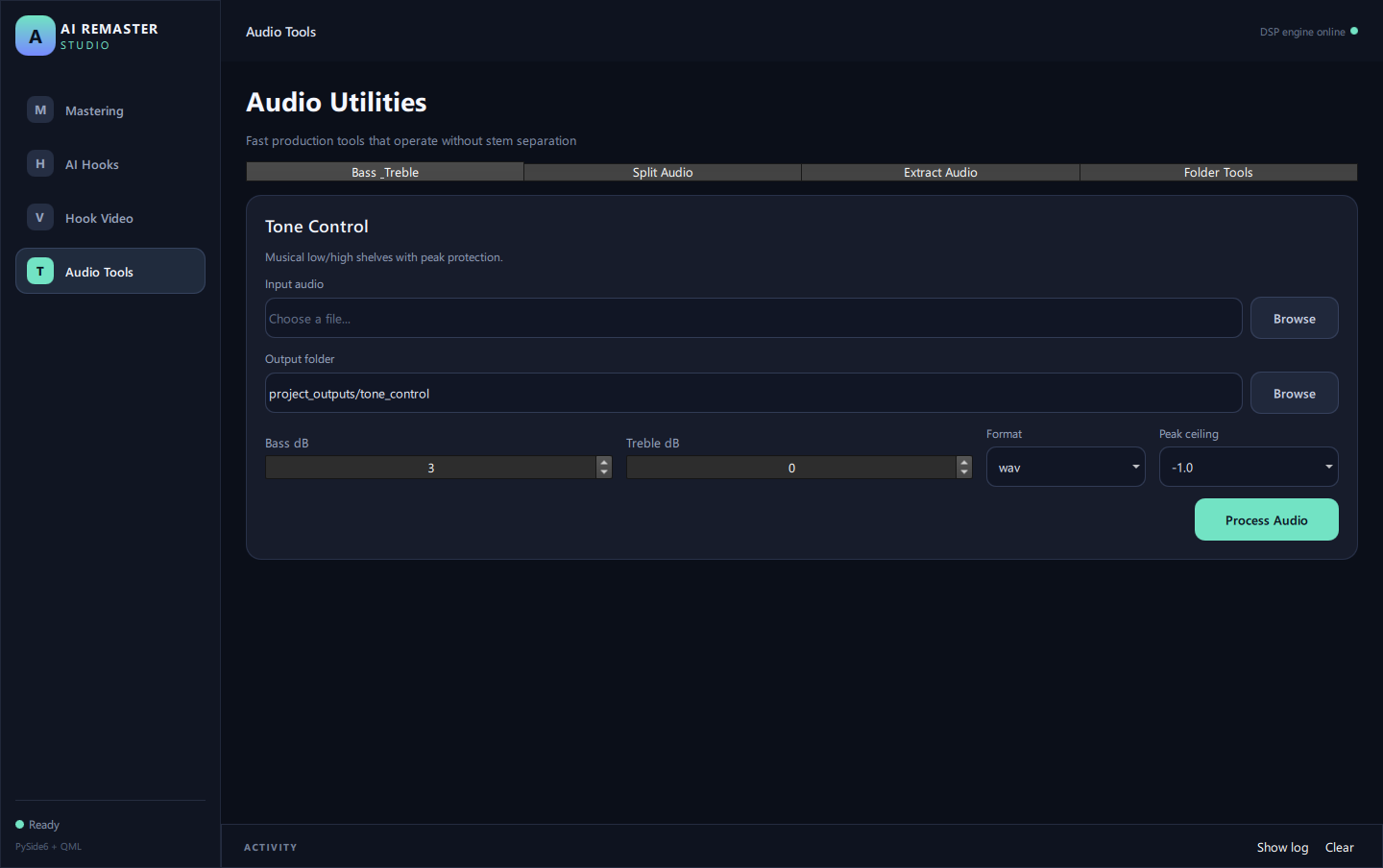
- Bass & Treble: ±12 dB adjustment, quick presets, peak protection, no stem separation required.
- Split Audio: divide 1 file or an entire folder into equal segments, keeping the remainder.
- Extract Audio: extract audio from video without re-encoding (lossless copy) or export to 24-bit WAV / 320 kbps MP3.
- Folder Tools: clean up intermediate files, batch rename, collect vocal files from subfolders.
System Requirements
| Item | Minimum | Recommended |
|---|---|---|
| OS | Windows 10 64-bit | Windows 11 64-bit |
| CPU | 4 cores, 64-bit | 8 cores or more |
| RAM | 8 GB | 16 GB or more |
| GPU | Not required (runs on CPU, slower) | NVIDIA with CUDA support, 6 GB+ VRAM (accelerates stem separation) |
| Free Disk Space | ~3 GB (non-NVIDIA) | ~6 GB (NVIDIA) + space for exports |
| Internet | Required for first-time installation and key activation | — |
| ffmpeg | Required for video features / extracting audio from video (winget install ffmpeg) |
— |
Note for first-time launch: The installer is compact; on the first run, the app will automatically download heavy components: Python libraries (~150–250 MB), PyTorch (~2–2.5 GB for NVIDIA GPU, ~200–250 MB for CPU only), and the Demucs model (~80 MB). Please use a stable connection and wait for the process to complete.
How to Purchase & Receive Your Key?
- Select the Perpetual or 1-Year plan in the right panel and click Buy Now (account login/registration required).
- Scan the VietQR code with your banking app, keeping the transfer content unchanged (order code SDG…).
- The system confirms payment automatically (usually under 1 minute) and automatically generates your license key.
- The key is displayed immediately on the order page / Account section and sent via email.
Each key is for 1 computer. The 1-Year plan expires 365 days after issuance; the Perpetual plan does not expire.
Download Software
- Download link: Download AI Remaster Studio (Google Drive)
- A new installer version (repackaged) will be released soon – the download link will be updated on this page and in the Account section.
Activation Guide
- Install and open AI Remaster Studio (Internet connection required).
- The License Activation window appears on the first launch – paste your license key (format
ARS-…) and click Activate. - Once activated, the app can be used offline; it will occasionally re-verify the license when online.
- Changing computers: each key activates on 1 machine. To move to another computer, please contact us with your order ID for assistance in deactivating the old machine.
Frequently Asked Questions
Is there a trial version? Currently, there is no automated trial. You can view images/documentation on this page or contact us for advice before purchasing.
Can I use it without an NVIDIA card? Yes. The app automatically switches to CPU mode; stem separation will be slower, but the results are the same.
Will my music files be uploaded online? No. All audio/video processing runs on your machine. The app only connects to the Internet for activation/license checks and to download installation components.
Paid but haven't seen the key? Keys are usually available within 1–2 minutes. Please refresh the order page / Account section and check your Spam folder. If it's been over 15 minutes, please contact us with your order ID.
What happens when the 1-Year plan expires? The app will notify you of expiration and request a new key. You can purchase a renewal or upgrade to the Perpetual plan.
Can I get a refund? See the Refund Policy. Summary: refunds are issued if the software fails to run on a machine meeting minimum requirements and we cannot fix it within 7 days, or in cases of duplicate/accidental payments.
English summary (for store reviewers)
AI Remaster Studio is a Windows 10/11 (64-bit) desktop application for musicians and short-video creators. It provides AI stem separation (Demucs: vocals, drums, bass, instruments), an automated mastering chain (de-esser, dynamic EQ, multiband compression, reference matching, LUFS target and true-peak limiting, 13 style presets, WAV/FLAC/MP3 export), an AI Hook Finder that extracts the most energetic 15/30/45-second sections, a beat-synchronized Hook Video Creator (BPM/downbeat detection, image motion, automatic SRT subtitles, 720p–4K, 9:16/16:9/1:1/4:5), plus audio utilities (bass & treble, split audio, extract audio from video, folder tools).
- Processing is local: audio and video files never leave the user's computer.
- Licensing: one license key per computer. Activation contacts
license.aiappviet.comand sends only the license key, a hashed machine ID, the computer name and the app version. Plans: Perpetual or 1 Year. - Purchase & delivery: pay by bank transfer (VietQR, confirmed automatically by SePay); the key is generated automatically and shown on the order page and sent by email.
- Requirements: Windows 10/11 64-bit, 8 GB RAM (16 GB recommended), optional NVIDIA CUDA GPU, ~3–6 GB disk space (first run downloads PyTorch and the Demucs model), ffmpeg for video features.
- Policies: Privacy · Refunds · Terms · Contact: ngothuanthuan@gmail.com
 Featured